

For Australian sole traders and tradies
Snap the receipt. Invoice the job. Your BAS is ready.
TallyBox is the receipt, GST and BAS app for iPhone and iPad. Keep your records, quote and invoice your jobs, and have your BAS figures ready, without paying for accounting software every month.
Every Pro feature free for 90 daysThen one price, onceNo subscription
01 · Capture
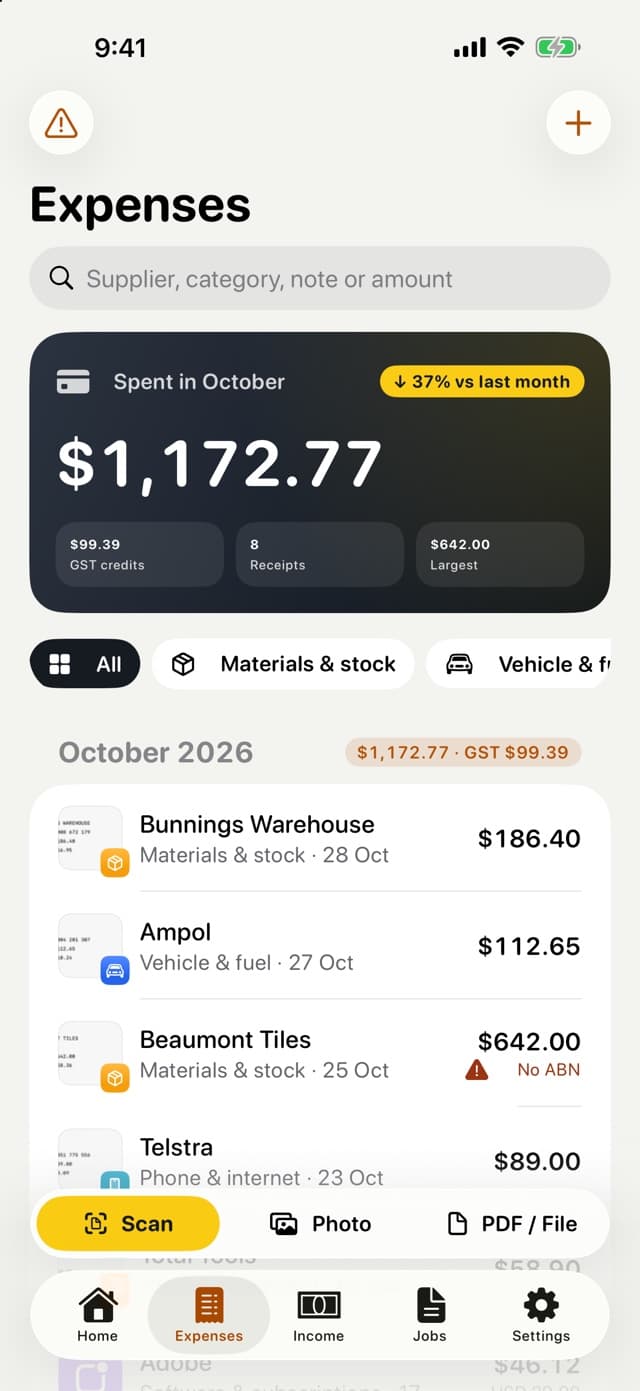
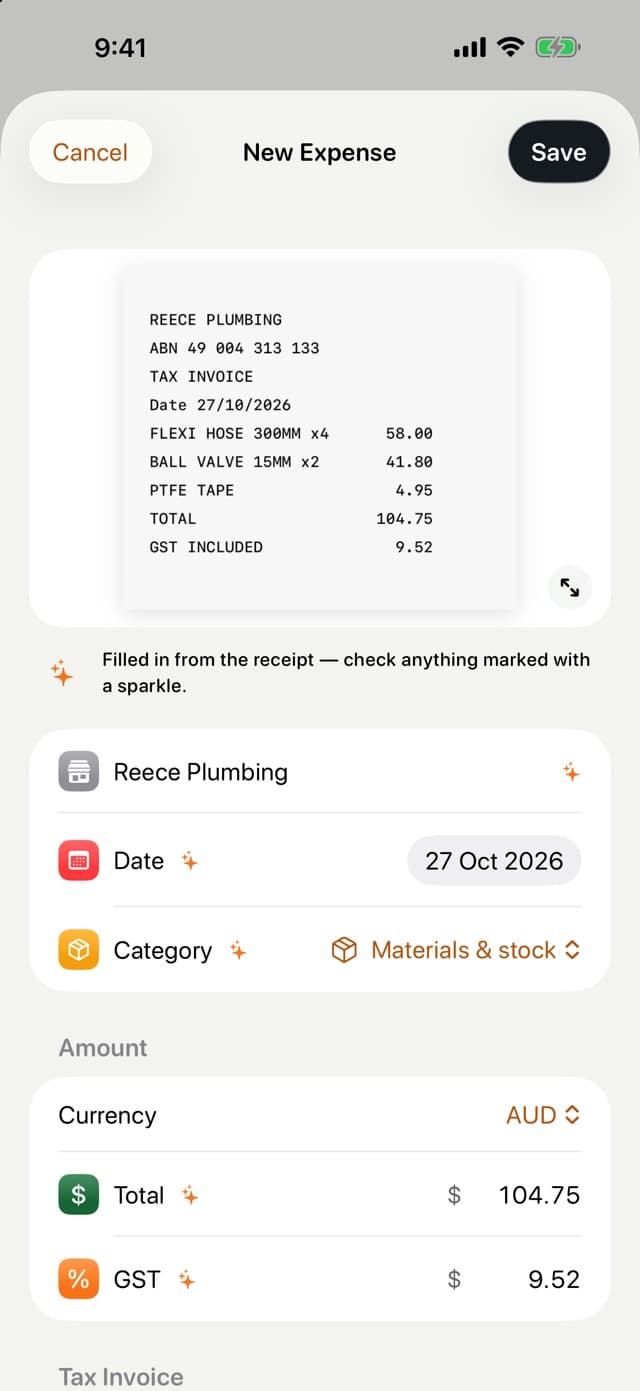
Snap a receipt in one tap
The yellow Scan button is on every screen. TallyBox reads the supplier, date, total, GST and the supplier's ABN, and nothing is saved until you have checked it.
- Multi-page scanning, photos, and PDFs from Mail or Files
- Purchases over $82.50 without an ABN are flagged, so you keep your GST credits
- Mixed receipts: the GST-free part is worked out for you
- Overseas purchases with the AUD amount from your bank statement
02 · GST and BAS
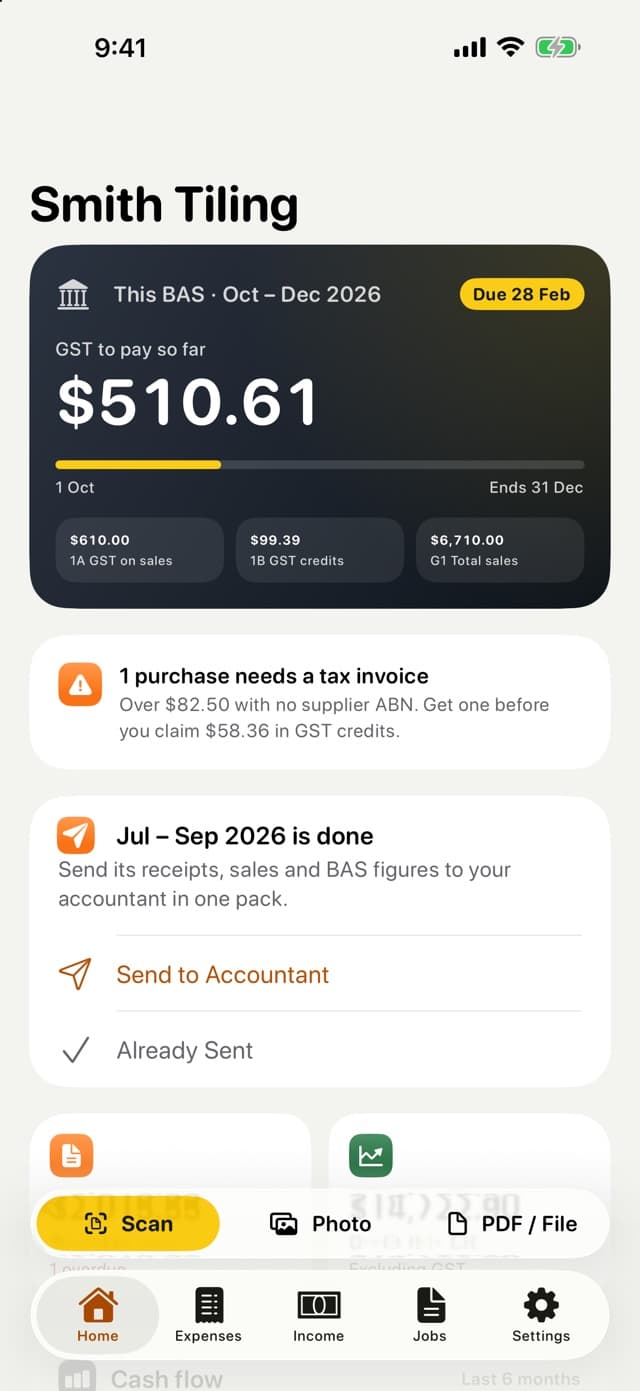
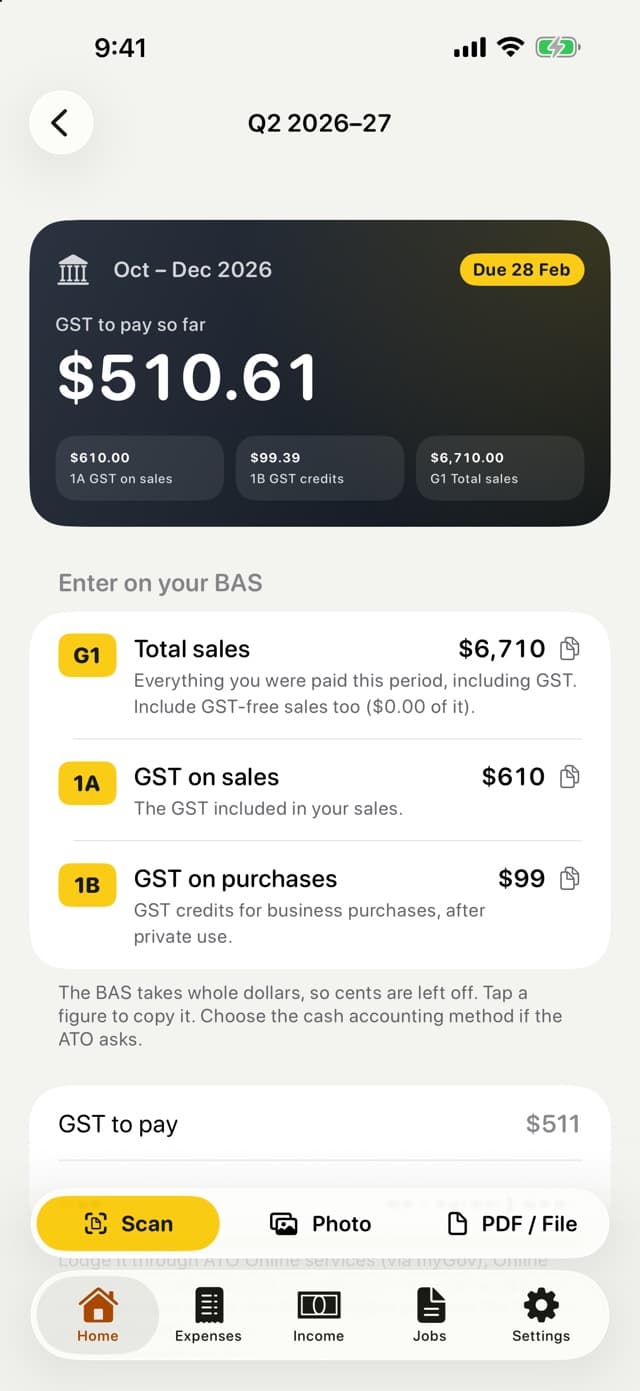
BAS figures, box by box
G1, 1A and 1B for each quarter or month, worked out on a cash basis from what you have recorded. Each figure is labelled with the box it goes in, in whole dollars, ready to copy.
- Due dates and a running total of GST to pay or get back
- A warning as turnover approaches the $75,000 GST threshold
- Business-use percentages applied to GST credits
- Employee work expenses (D1–D5) kept out of the business figures
03 · Quotes and invoices
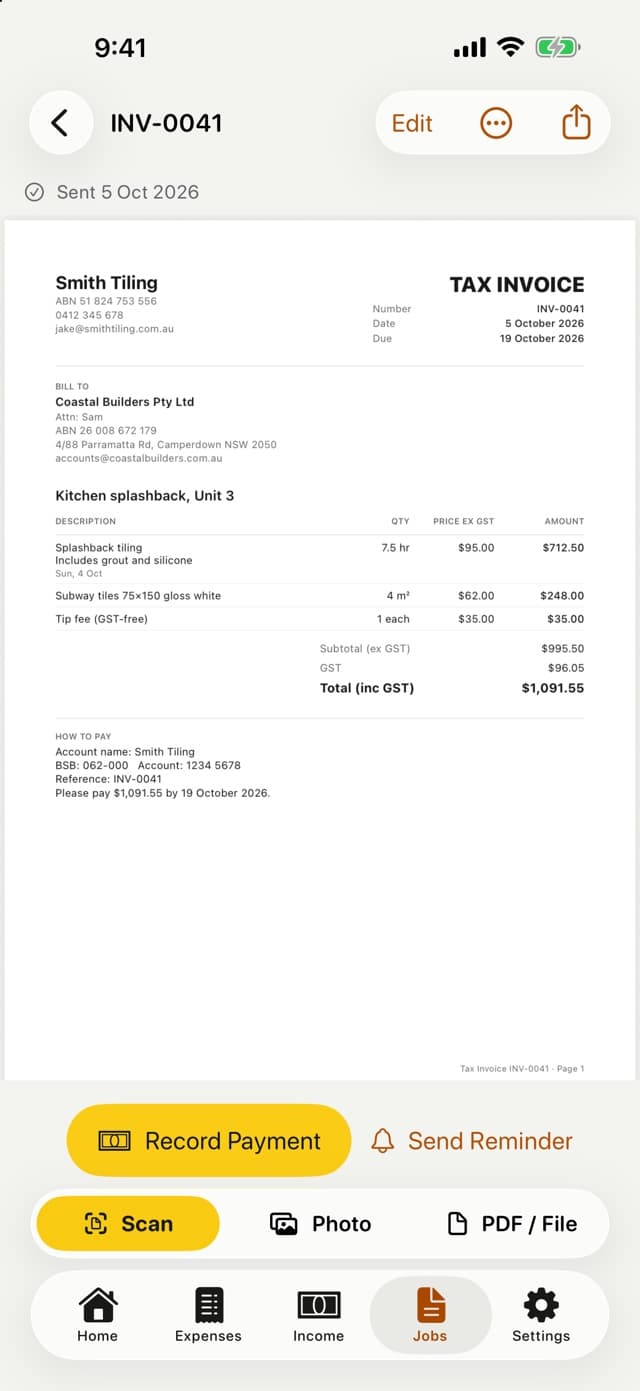
Quote on site, invoice in one tap
Labour with start and finish times, materials, discounts and GST-free lines. When the customer says yes, the quote becomes an invoice, and the payment goes into your income with the right GST.
- Tax invoices that meet the ATO's requirements
- Your BSB, account and PayID printed on every invoice
- Send by email or message; the PDF sent is exactly the preview
- Overdue invoices marked, with a polite reminder ready to send
04 · Your accountant
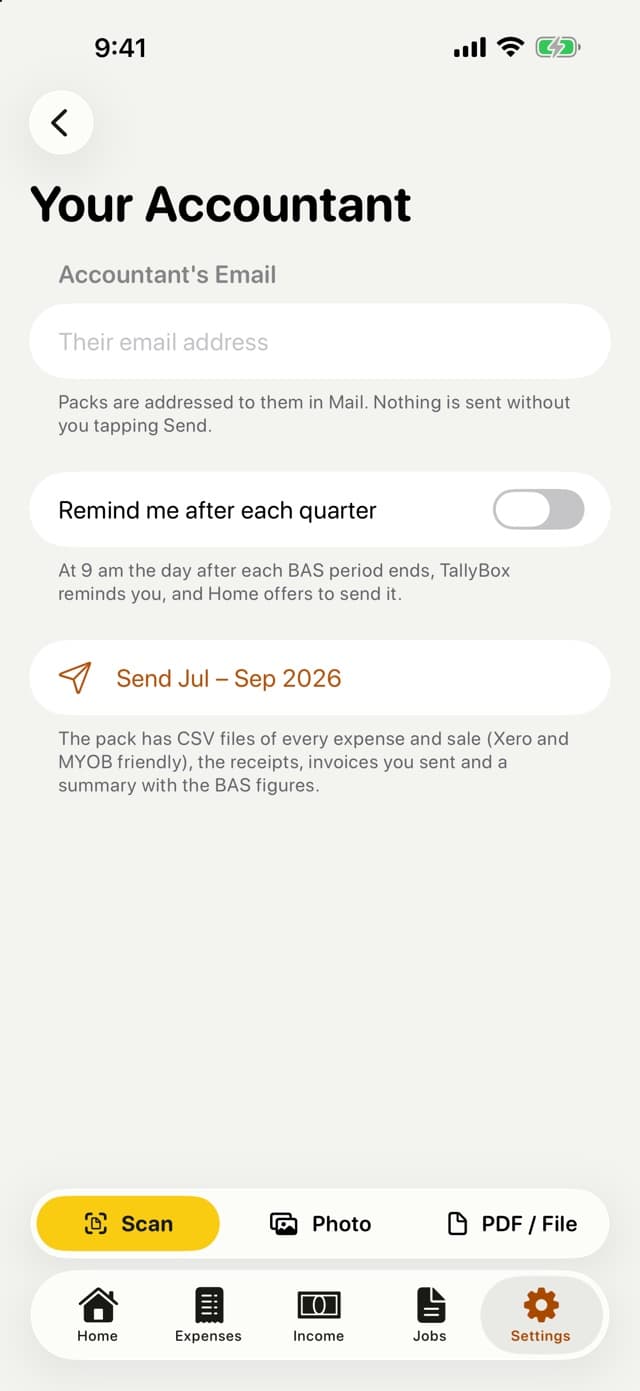
Hand it all over in one go
After each BAS period, TallyBox reminds you and prepares that period's pack. At tax time, send the whole financial year.
- CSV files of every expense and sale, Xero and MYOB friendly
- Every receipt image, the invoices you sent and a summary
- A financial-year summary by ATO category, as a PDF
- Check a bank statement CSV for payments with no receipt
05 · Vehicle logbook
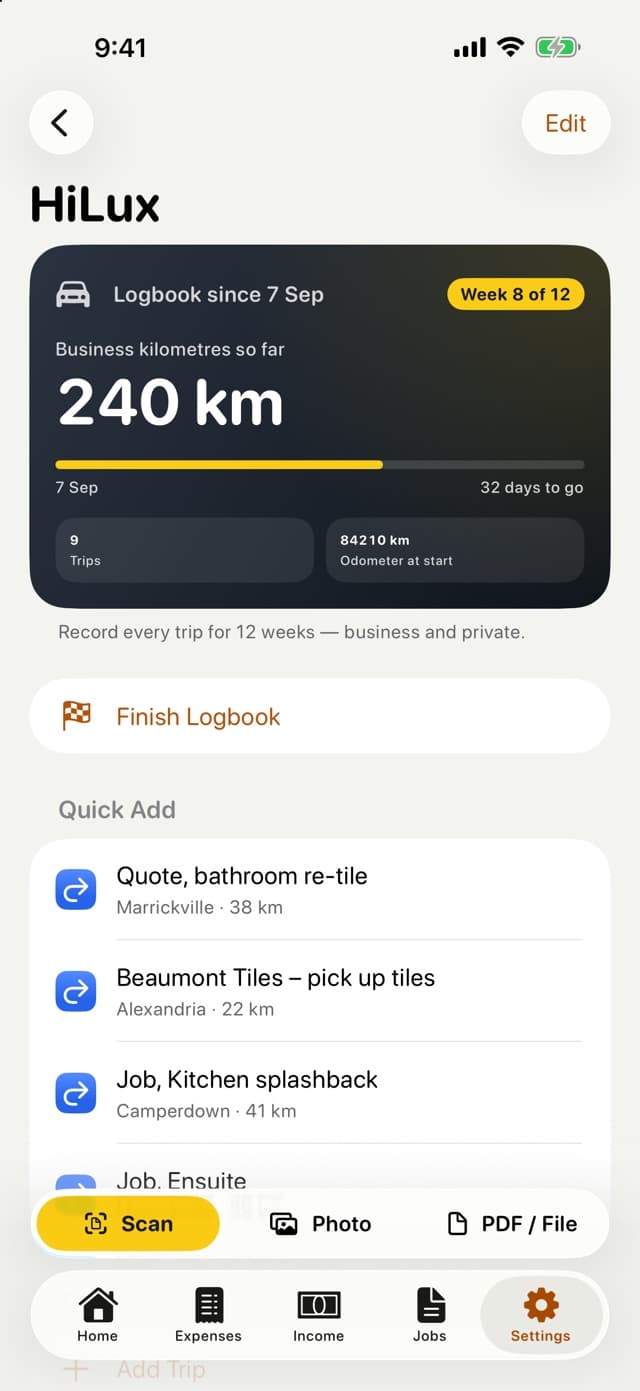
The ATO 12-week logbook
Keep it once and its business-use percentage can be used for five years. TallyBox works out the percentage and applies it to fuel and car costs.
- Odometer readings, trips with their purpose, and favourite routes
- Log a trip from Siri or when CarPlay connects
- No background GPS tracking
- A logbook report as a PDF for your accountant
Faster than opening the app
A receipt is always one press away
Widgets
This period's BAS and a Scan button on your Home and Lock Screen.
Control Centre
Add Scan Receipt as a control and open the scanner from anywhere.
Action button
One press of the Action button opens the scanner.
Siri
“Scan a receipt in TallyBox” or “Log a trip in TallyBox”.
Share sheet
Send emailed bills and receipts from staff straight into TallyBox.
iPhone and iPad
A real iPad app for the office days
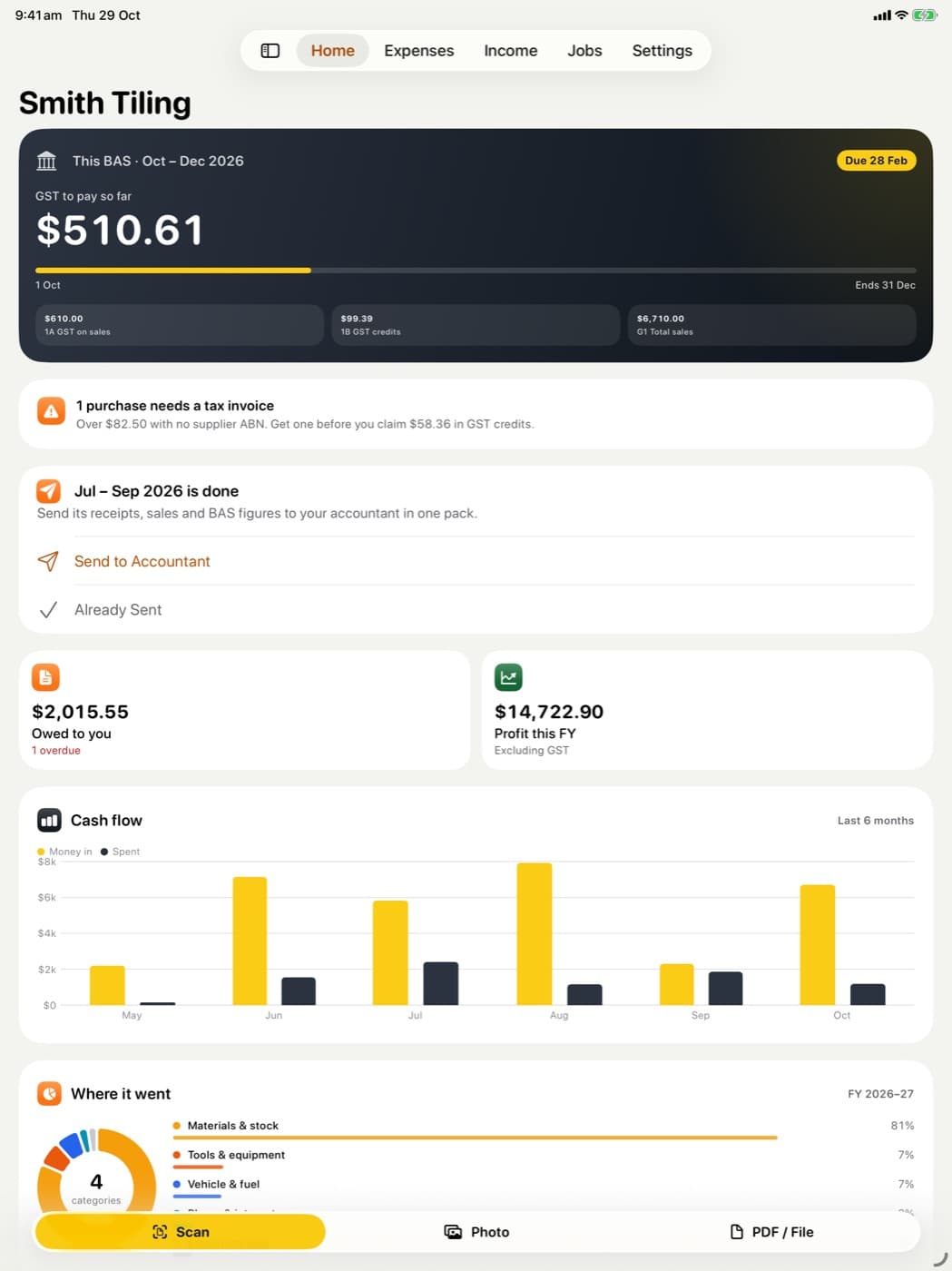
On iPad the tabs become a sidebar, with room for your cash flow, where your money went and your BAS at a glance. Records sync between your devices through iCloud.
- Landscape and split view
- Keyboard shortcuts: ⌘N new expense, ⇧⌘N new income, ⌘↩ save
- Dark mode, Dynamic Type and VoiceOver throughout
Privacy
Your books stay yours
TallyBox has no account and no server of its own. On the App Store its privacy label reads “Data Not Collected”.
No account
Nothing to sign up for. Open the app and scan.
Your own iCloud
Records stay on your devices and sync through your private iCloud.
No tracking
No analytics, no ads, no bank connection. We cannot see your books.
Export any time
Take all of your data with you, free, whenever you like.
Pricing
Free to use. Pro to save time. Pay once.
No subscription and nothing that renews. If you never buy Pro, you keep everything you have recorded.
Free forever
A$0
- Scanning and importing receipts
- Expenses and income
- GST on every receipt
- Monthly totals
- Export all your data
TallyBox Pro
- Quotes and invoices
- BAS figures and guide
- Accountant pack and year summary
- Bank statement check
- Vehicle logbook
- More than one business
A one-time purchase in Australia; other regions see the App Store price in their currency. Shared with your Family Sharing group.
- Day 1: start the free trialEvery Pro feature unlocked for 90 days, for A$0. The paywall shows what locks afterwards and the Pro price before you start.
- Day 90: the trial endsYou are not charged. Pro features become read-only; nothing is deleted or locked away.
- Any time: buy Pro oncePro is yours for good, on all your devices. Restore it any time from Settings.

Coming from ReceiptsBox?
TallyBox finds your ReceiptsBox iCloud backup and brings your receipts across with their photos. GST is read again from each receipt; when it cannot be read, the receipt is marked for you to check rather than guessed.
Made in Sydney, answered by a person
TallyBox is made by TECHBOOSTER PTY LIMITED in Sydney. Every support email is read and answered by a person, usually within one business day.
Questions
Before you download
Does TallyBox lodge my BAS?
No. TallyBox prepares the figures and shows which box each one goes in. You lodge through ATO Online services, or give the figures to your BAS or tax agent.
Do I need to be registered for GST?
No. If you are not registered, TallyBox hides the GST fields, keeps your income and expenses, and warns you as your turnover approaches the $75,000 threshold.
Does it connect to my bank?
No. Instead, import a CSV statement from your internet banking and TallyBox shows payments with no receipt and money in you haven't recorded. The file is read on your device and not kept.
What happens when the free trial ends?
You are not charged. Pro features become read-only until you buy Pro once; nothing is deleted and the free features keep working.
TallyBox prepares your figures; it doesn't lodge your BAS or give tax advice. Talk to your accountant or registered tax agent about your situation. Apple, iPhone, iPad, Siri and CarPlay are trademarks of Apple Inc. App Store is a service mark of Apple Inc.