


Attendance for small businesses in Australia
Know who is at work, not where they are after hours.
OnSite records when each employee's iPhone arrives at and leaves your workplace, only during their shifts. You see who is on site, who is late and who has stepped away, with the written notice your state requires built in.
Free for 90 daysNo GPS trailData kept in Sydney
01 · Now
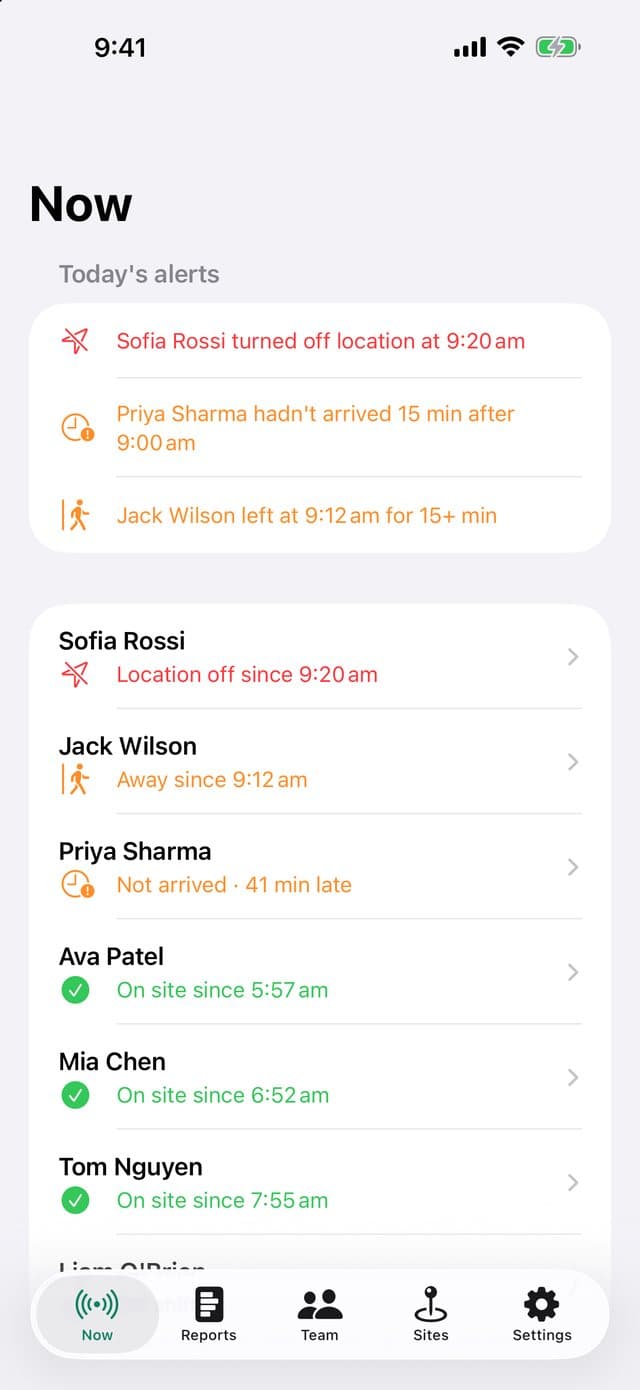
Who is on site, at a glance
Each employee shows as on site, away, not yet arrived, location off or off shift. Late arrivals, people away for more than 15 minutes and location being turned off are listed first and pushed to your iPhone.
- Status refreshes every minute
- One alert per event, never repeated
02 · Privacy
Recorded during shifts, and nowhere else
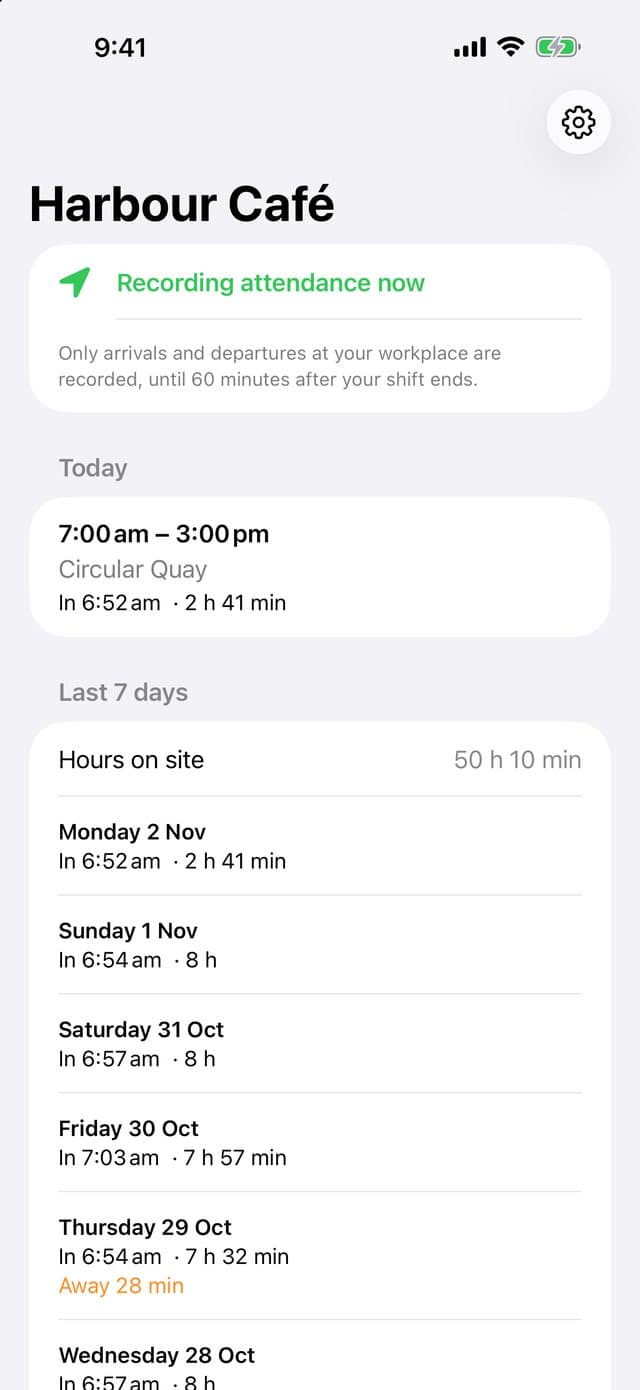
OnSite uses iPhone region monitoring, which reports only entering or leaving the site. Outside the shift window the phone discards the event and our servers refuse it, so there is no record of anyone's evenings or weekends. Employees always see whether recording is on.
- No map trail and no live map
- Employees see their own hours
03 · Reports
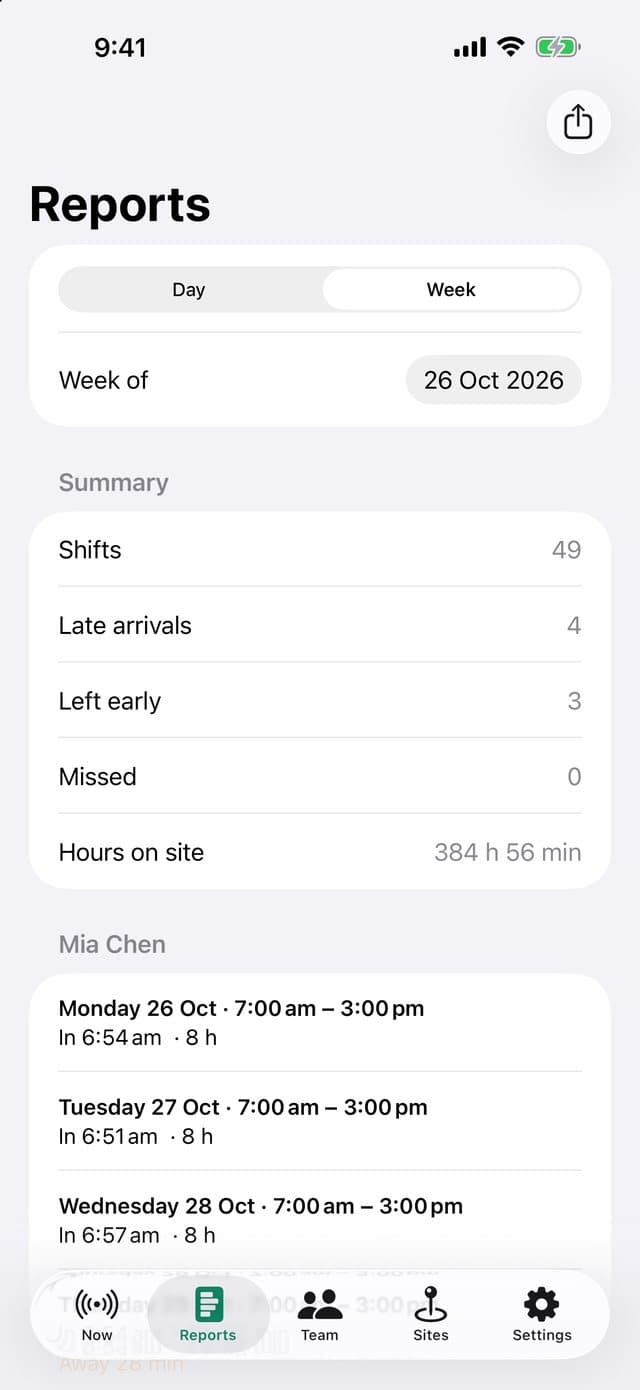
Timesheets without the paperwork
Daily and weekly reports show arrival and departure times, minutes late, early finishes, time away and hours on site for every shift. Export a CSV for your bookkeeper or payroll software.
- Five-minute grace for arrivals and finishes
- Short GPS gaps are ignored
04 · Sites and shifts
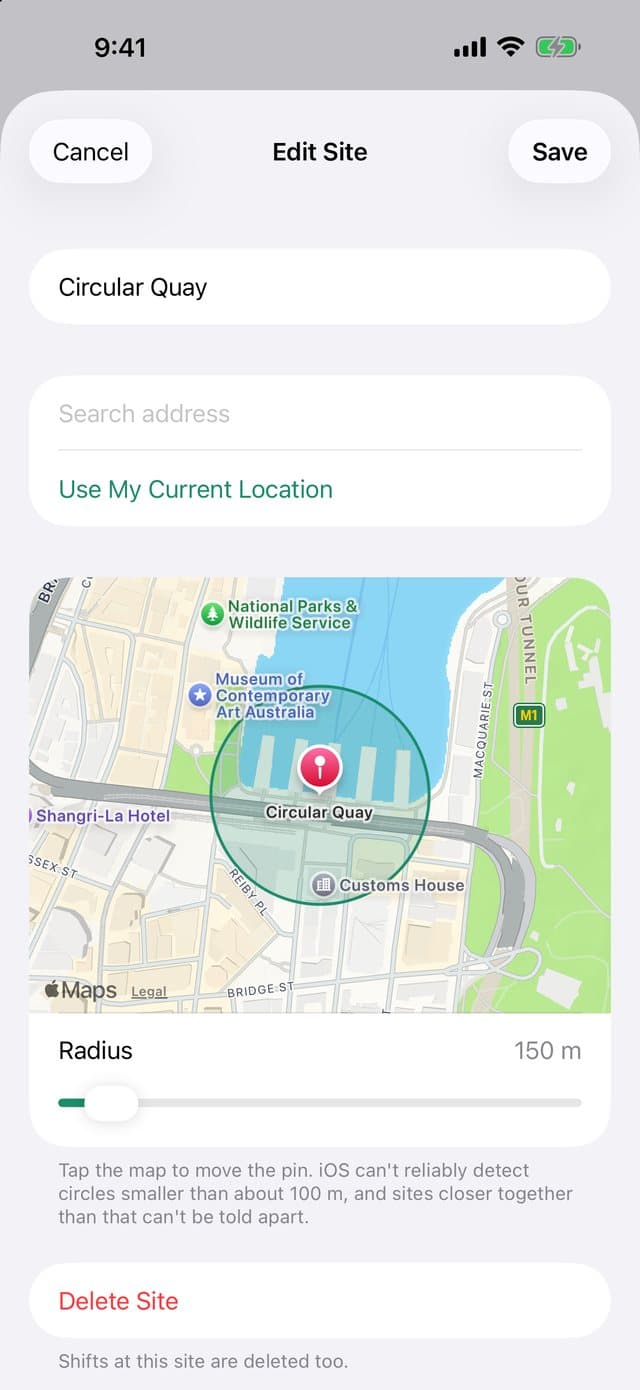
Set up in a few minutes
Search for your address or stand at the door and tap Use My Current Location, then choose a radius from 100 to 1,000 metres. Add each employee, set their weekly shifts and send them an eight-character invite code.
- Several sites per business
- Employees need no account or password
05 · Kiosk
Staff without an iPhone clock in on an iPad
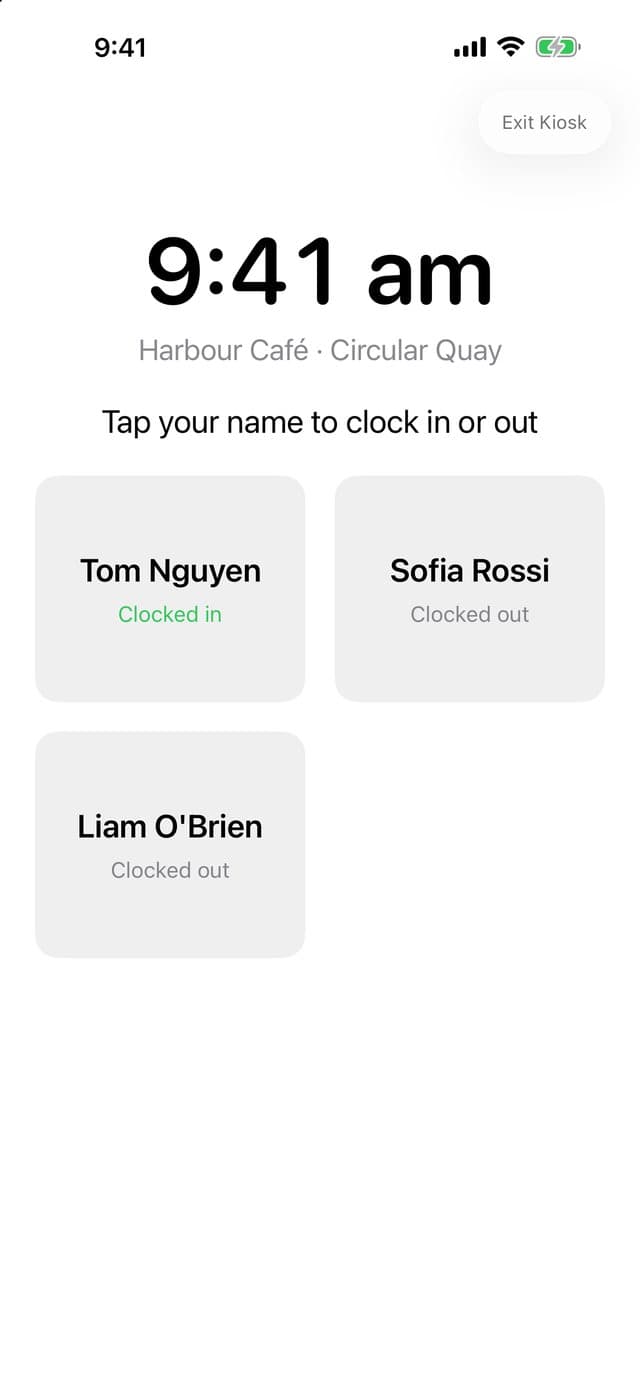
Leave an iPad at the site in kiosk mode. Staff tap their name and enter a four-digit PIN to clock in or out. Kiosk punches appear in the same reports as everyone else.
- Five wrong PINs lock that person for 15 minutes
- Leaving kiosk mode needs the iPad's passcode
Workplace surveillance rules
The notice your state requires, built in
Written notice
Each employee reads a notice explaining what is recorded, when and why, and acknowledges it in the app. The version and time are kept.
14 days in NSW and the ACT
Recording starts no earlier than 14 days after the notice, as the NSW Workplace Surveillance Act and the ACT Workplace Privacy Act require.
Enforced on the server
Recording before the notice period ends, or outside a shift, is refused by our servers, not just hidden in the app.
iPhone and iPad
A clock-in station on any iPad
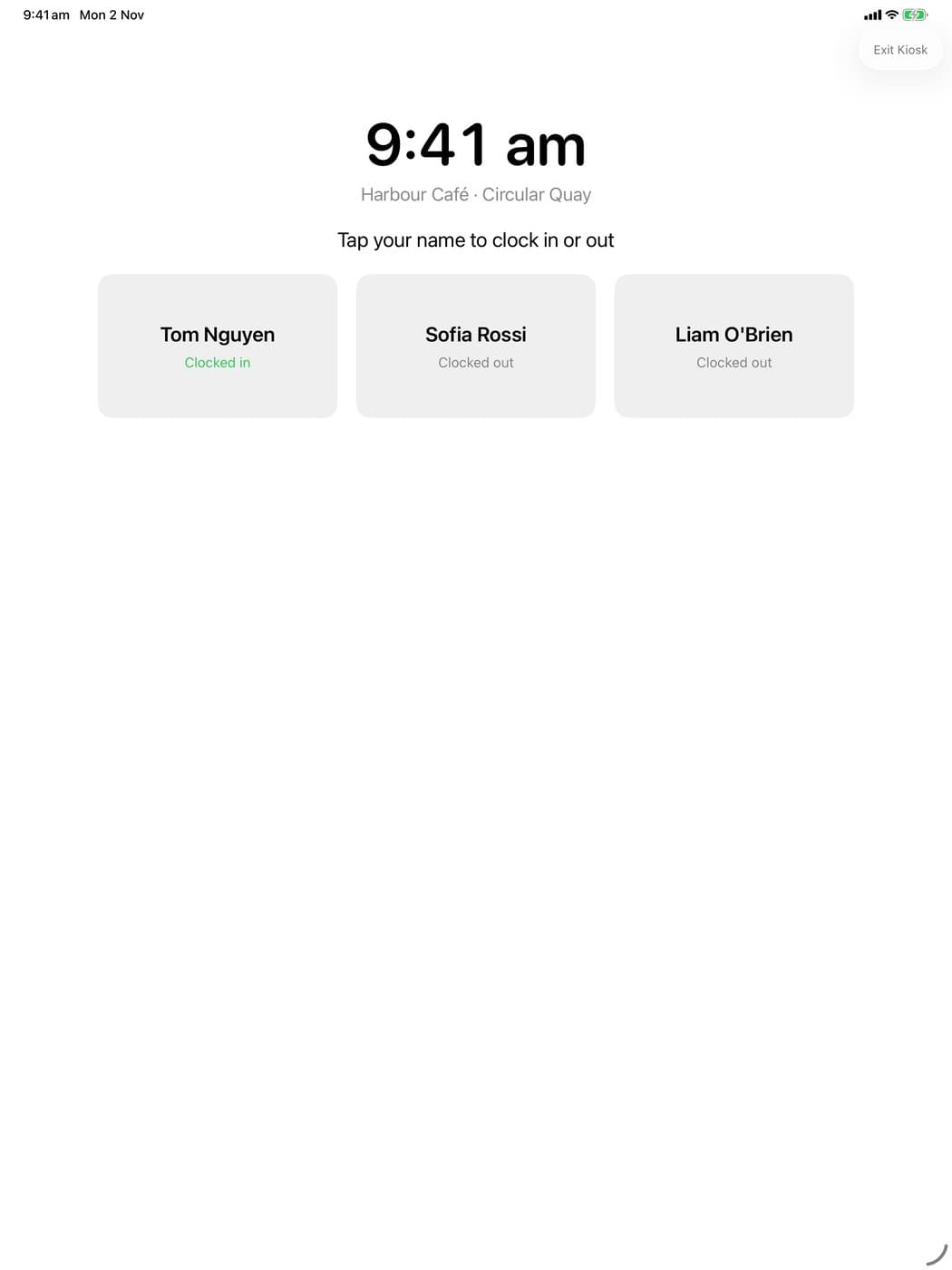
OnSite runs on iPhone and iPad. The owner's screens adapt to the larger display, and kiosk mode keeps the iPad awake at the site.
- For staff with an Android phone or no phone
- Turn on Guided Access for extra security
Privacy
Attendance at your workplace, nothing more
OnSite records only arrivals at and departures from the sites a business sets, only during each employee's shifts, and only after the employee has acknowledged a written notice.
Shifts only
Nothing is recorded or sent outside the shift window.
No trail
Only entering and leaving a site, never a route or a live map.
No ads, never sold
Data is used only to run the attendance service.
Delete for real
Owners can delete the business and all records in Settings.
Pricing
Free for 90 days. Then A$4.99 per employee per month.
The trial starts when you create your business and needs no payment details. After that, choose the plan that covers your team. You do not count as an employee.
Free trial
- Every feature
- Any number of employees
- No payment details
Team plans
- Up to 10 employees: A$49.99 a month
- Up to 20 employees: A$99.99 a month
- Up to 30 employees: A$149.99 a month
- Up to 50 employees: A$249.99 a month
Billed monthly by Apple and renews until you cancel in your Apple ID settings. Prices include GST. If the plan lapses, recording pauses but your records stay and can be exported.
Made in Sydney, answered by a person
OnSite is made by TECHBOOSTER PTY LIMITED in Sydney. Every support email is read and answered by a person, usually within one business day.
From the team behind OnSite
Need an app or system for your own business?
We build apps and business systems for small and medium businesses, starting with a free consultation.
Questions
Before you download
How do I set up my business?
Sign in with Apple or your email, enter your business name and state, then:
Is my location tracked all the time?
No. OnSite records only when your iPhone arrives at or leaves your workplace, from 60 minutes before each shift to 60 minutes after it. Outside that window nothing is recorded or sent, and the app shows that it is not recording. There is no route and no live map.
Someone shows as late but they were at work
If an iPhone was already at work before the recording window opened and didn't move, iOS may not report it straight away. OnSite asks the phone to check in at the start of the shift, but iOS can delay that. Ask the employee to open OnSite once; it reports their position immediately.
What happens when the free trial ends?
Recording pauses until you choose a plan in Settings › Plan. Your sites, team and every record stay, and you can still view reports and export them. You are never charged automatically at the end of the trial.
OnSite's notice is general information, not legal advice. Employers are responsible for meeting the workplace surveillance and privacy laws that apply to them. Apple, iPhone, iPad and Game Center are trademarks of Apple Inc. App Store is a service mark of Apple Inc.