


For households, warranties and side hustles
Keeping receipts shouldn't need a manual. Snap it. Done.
ReceiptsBox does one thing well: it keeps your receipts in order. Scan a receipt and the shop, date and total are filled in for you. There is nothing to set up and nothing to learn.
Pay once, A$0.99No subscription or in-app purchasesNo account
01 · Scan
Hold your phone over the receipt
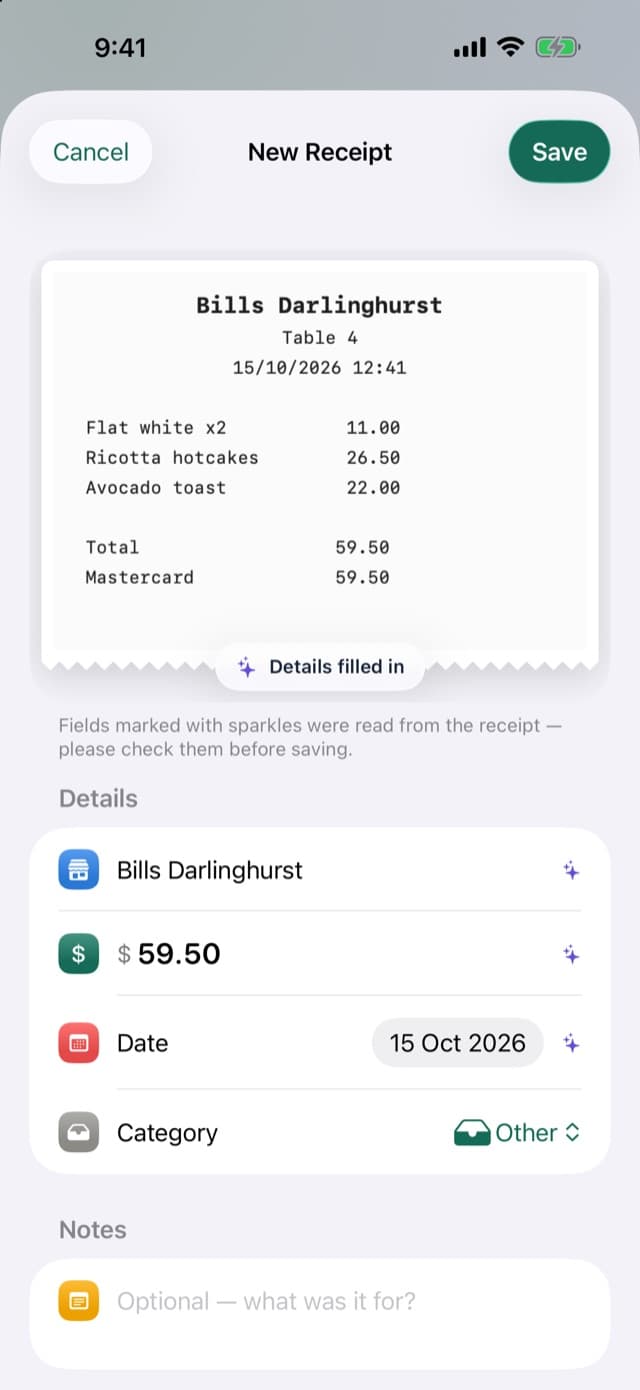
Tap Scan Receipt and hold your phone over it. The shop, date and total are filled in, marked so you can see what was read. Pick a category and save.
- Long receipts: scan across several pages
- Import a photo you already have
- Read on your device, never uploaded
02 · Find
Find any receipt in seconds
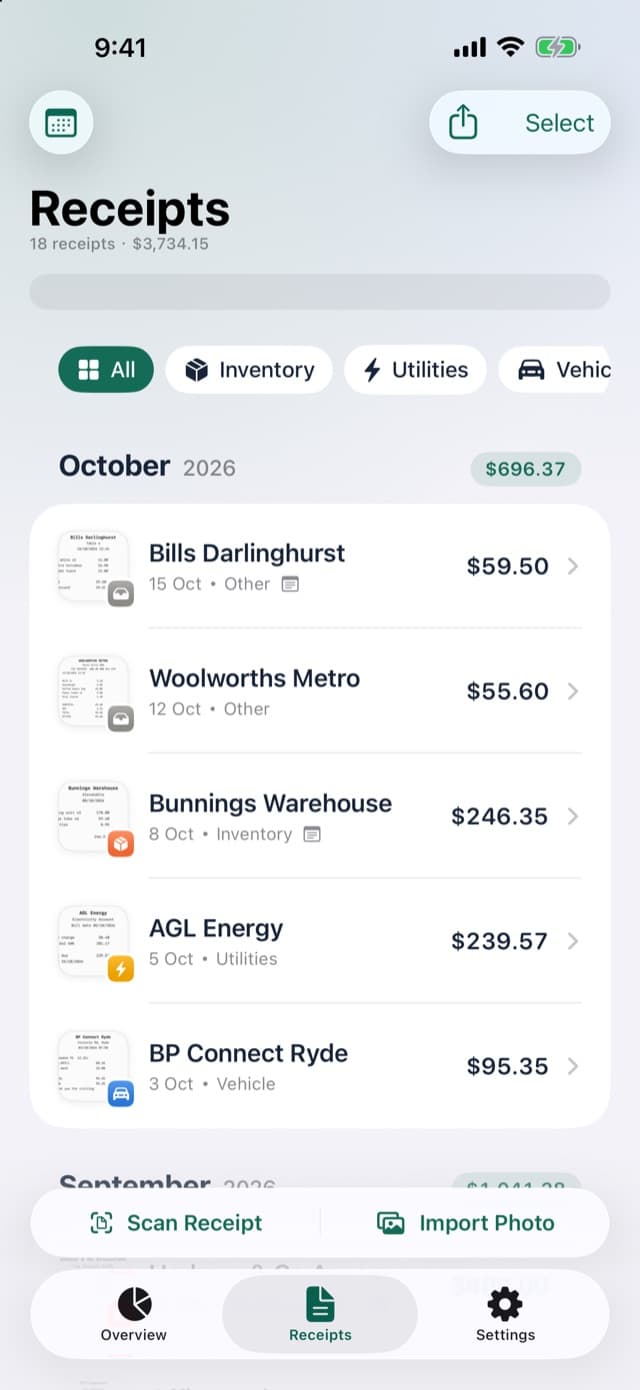
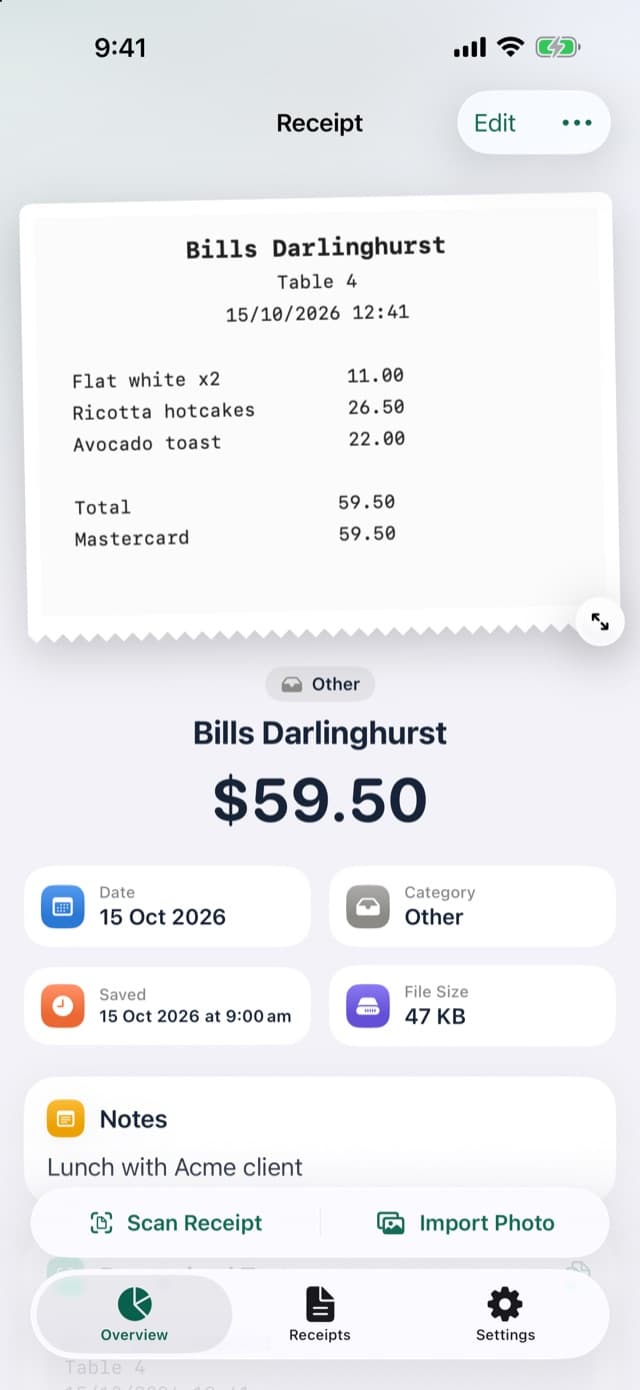
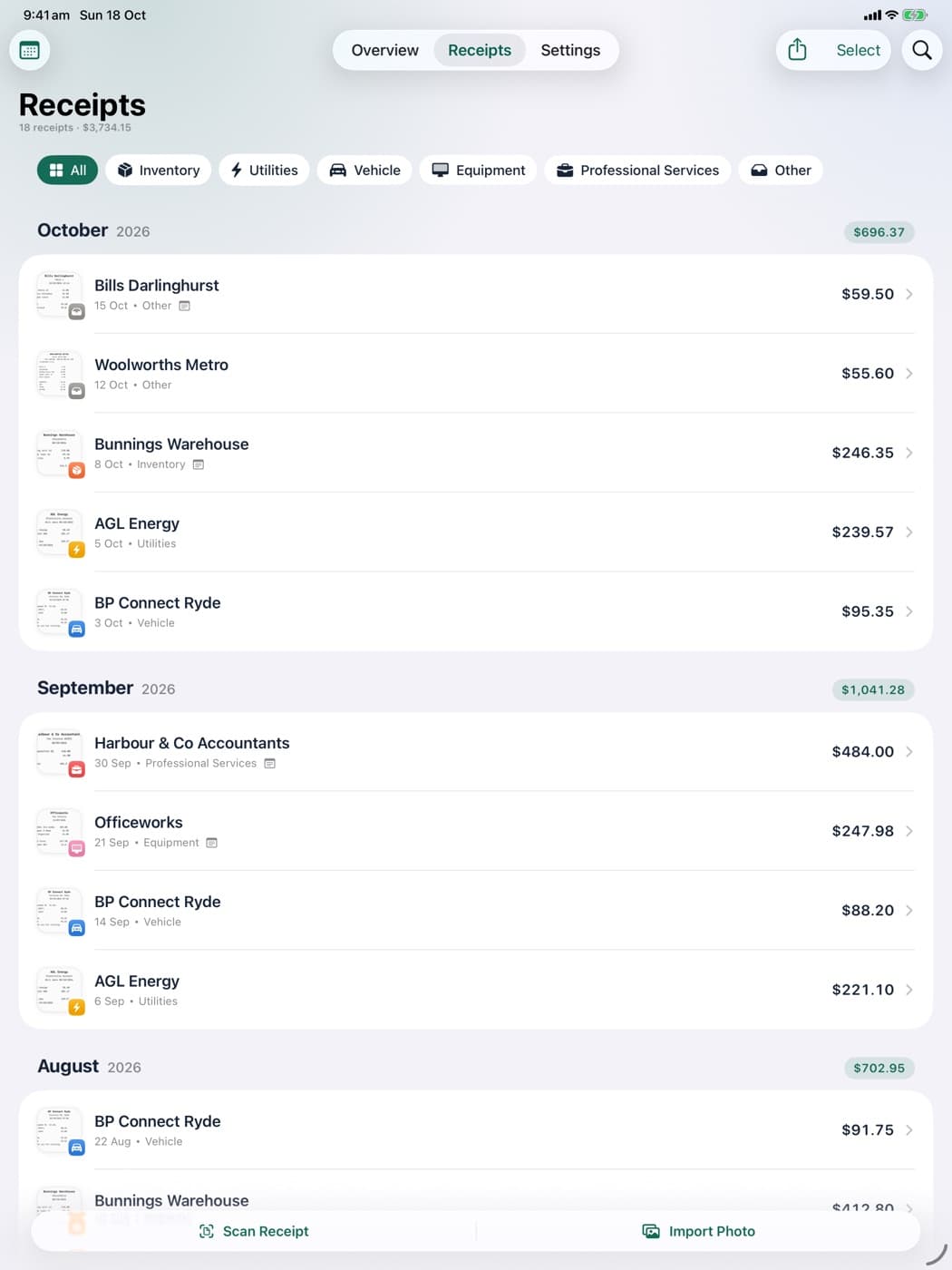
Search by shop, note or any word printed on the receipt. Filter by category, and see each month's receipts with their total.
- Categories you can rename, add and remove
- Great for warranties and returns
03 · Overview
See what you spent, and on what
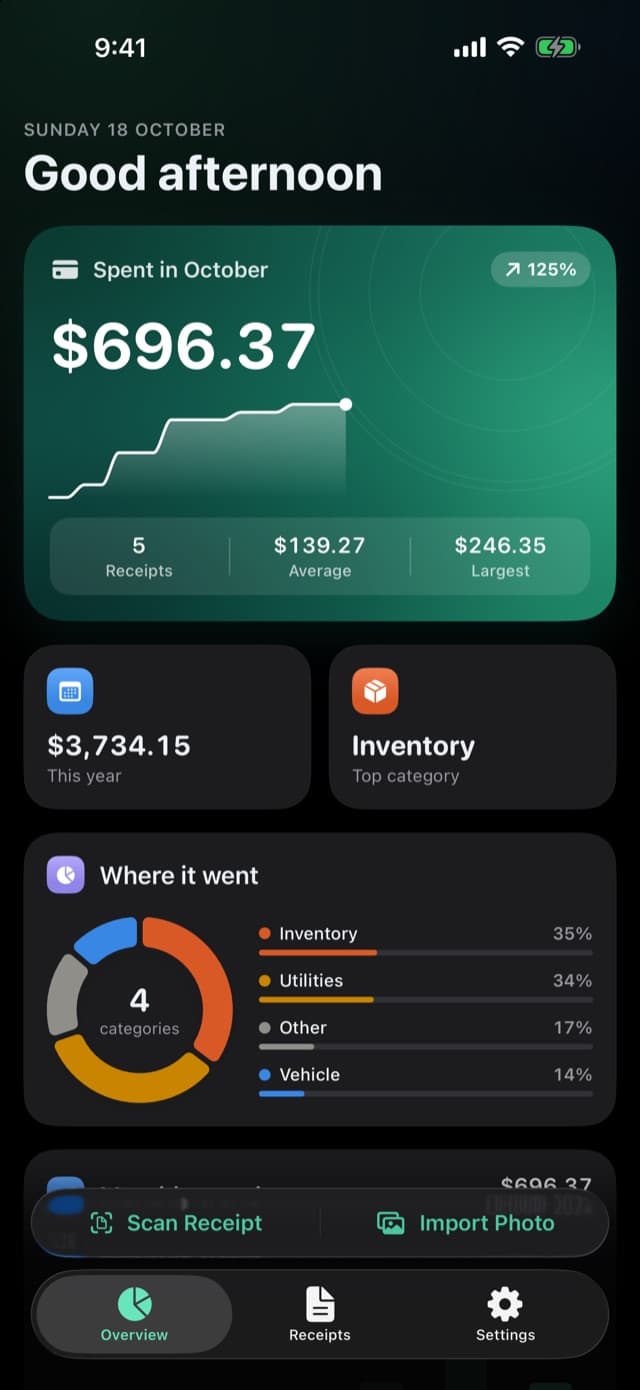
The overview shows this month's spending, how it compares and where it went, by category. Light and dark mode both included.
- This month, last month, this year or all time
- Export a PDF report or a spreadsheet (CSV)
04 · Backup
Backed up to your own iCloud
Every receipt is copied to your own iCloud after each change, with nothing for you to do. Get a new iPhone and restore them in one tap.
- Recently Deleted keeps receipts for 30 days
- Turn the backup off any time in Settings
iPhone and iPad
Sort the paperwork on iPad
ReceiptsBox runs full screen on iPad, with room for a long list of receipts and their categories.
- Landscape and split view
- Dark mode, Dynamic Type and VoiceOver
Privacy
Data Not Collected
ReceiptsBox has no account and no server of its own. Your receipts stay on your device and in your own iCloud.
No account
Nothing to sign up for. Open the app and start.
Your own iCloud backup
Your data stays on your devices and syncs through your private iCloud.
No tracking
No analytics and no ads. We cannot see what you keep in the app.
Read on your iPhone
Camera scans are read on the device and never uploaded.
Pricing
One price. Nothing else to buy.
Pay once and keep it forever. No subscription, no in-app purchases, no ads and no limit on receipts.
ReceiptsBox
- Scanning and importing receipts and PDFs
- Search, categories and monthly totals
- Return and warranty reminders
- Tax-deductible totals by tax year
- PDF, CSV and ZIP export
- Automatic iCloud backup
- iPhone and iPad
The price in Australia; other regions see the App Store price in their currency.
Made in Sydney, answered by a person
ReceiptsBox is made by TECHBOOSTER PTY LIMITED in Sydney. Every support email is read and answered by a person, usually within one business day.
From the team behind ReceiptsBox
Need an app or system for your own business?
We build apps and business systems for small and medium businesses, starting with a free consultation.
Questions
Before you download
Can I search the words on a receipt?
Yes. Search looks at the shop name, your notes and the text printed on the receipt, so “drill” finds the hardware store receipt with a drill on it.
Can it remind me before a return or warranty runs out?
Yes. When you add or edit a receipt, set Return by or Warranty until, or pick a preset such as 30 days or 2 years. You get a reminder 3 days before the return window closes and 30 days before the warranty ends.
Upcoming dates also show in Coming up on the Overview.
How do I give my receipts to my accountant?
Export them as a PDF report, a spreadsheet (CSV) or a ZIP of every receipt image in folders by month. You can export everything, the receipts you are looking at, or ones you select, then send the file by email, AirDrop or Files.
CSV files open in Excel, Numbers or Google Sheets.
What happens to my receipts if I get a new iPhone?
When iCloud Backup is on (it is by default), every receipt is copied to your own iCloud after each change. On the new iPhone, sign in with the same Apple Account, open ReceiptsBox and tap Restore Receipts from iCloud in Settings.
Is ReceiptsBox for business tax records?
It covers personal tax and a small side business: mark receipts tax deductible and export them by tax year. If you are a sole trader and need BAS, invoices and a vehicle logbook, have a look at TallyBox, our app for Australian small businesses; it can bring your ReceiptsBox receipts across.
Apple, iPhone, iPad and Game Center are trademarks of Apple Inc. App Store is a service mark of Apple Inc.